

 |
1-708-375-55-27 |  |
Live chat |
| US,CA toll free | 1-877-247-24-50 |  |
Customer login |
QUICK TOUR
 To subscsribe with MyIdealhost please click the "Sign Up" button on the main page.

You will be taken to "Product Configuration" page, where you need to indicate your domain name and extension.
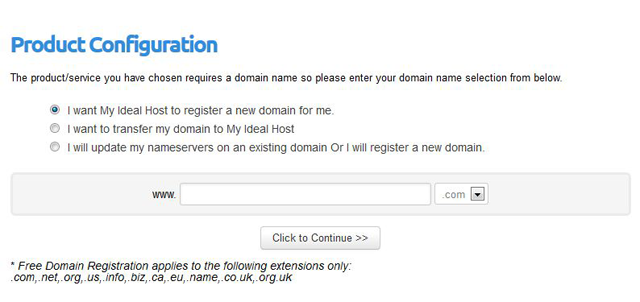
- If you don't have a domain yet please choose "I want My Ideal Host to register a new domain for me."
- If you already have a domain name and want MyIdealHost to get its new registrar please choose "I want to transfer my domain to My Ideal Host".
- If you already have a domain name and want to leave it with its current registrar please choose "I will update my nameservers on an existing domain Or I will register a new domain."
Press "Click to Continue" button.
You will see the same "Product Configuration" page with the "Choose domains" section below.
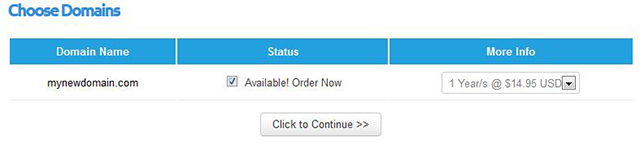
Please ignore this section! If you register your account with MyIdealHost you will receive free domain registration/transfer.
(Free Domain Registration applies to the following extensions only: .com,.net,.org,.us,.info,.biz,.ca,.eu,.name,.co.uk,.org.uk)
Please press "Click to Continue" button once again.
You will be taken to the next "Product Configuration" page.
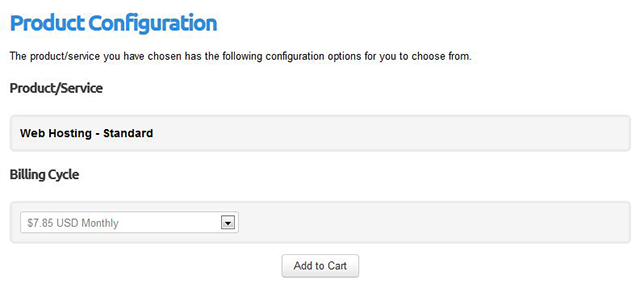
Here you can see your hosting plan in "Profuct/Service" section.
You also need to choose the period from the drop down menu you want to subscribe to MyIdealHost hosting for.
Please click "Add to Cart" button when done.
You will be taken to "Order Summary" page, where you can see the total price for your account registration.
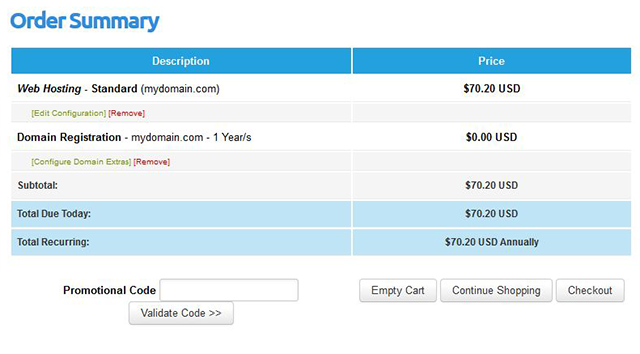
Please take into account, the price for Domain Registration is $0.00, because free domain registration is included into your Hosting Package.
Now you need to click "Checkout" button to continue your purchase.
Now you need to enter your personal details on the "Checkout" page.
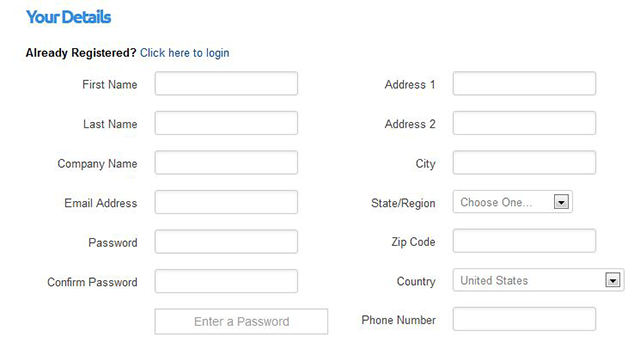
You also need to indicate Domain Registration information on this page:
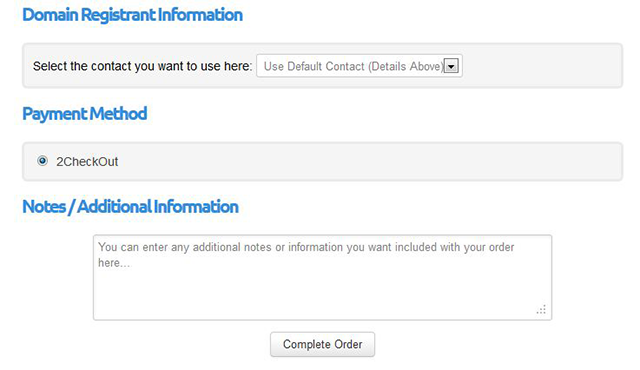
- Please chose "Use Default Contact" to register your domain with the information you have entered in "Your Details" section.
- If you want to register your domain with another registrar information please choose "Add New Contact" and enter the necessary information.
Click "Complete Order" button.
You will be taken to the 2checkout page with the total price of your purchase.
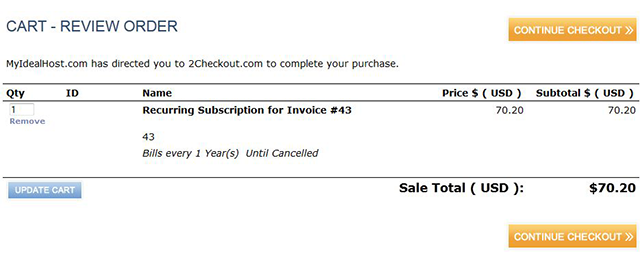
Please click "Continue Checkout" to continue.
You will be taken to "Billing Information" page.

Here you need to enter your billing information once again.
Please click "Continue Checkout" button when done.
You will be taken to "Payment Method" page.
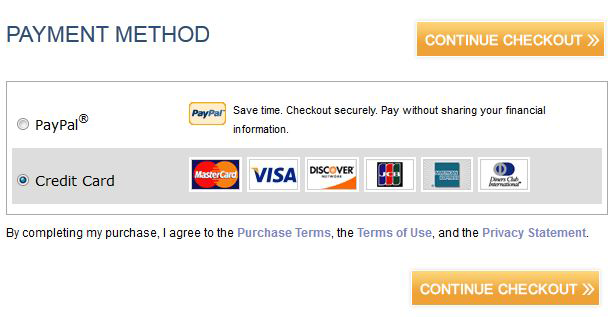
Here you need to choose payment method for your purchase: PayPal or Credit Card.
Please click "Continue Checkout" button when done.
You will be taken to "Credid Card" page (or "PayPal" page if you've chosen PayPal as payment method).
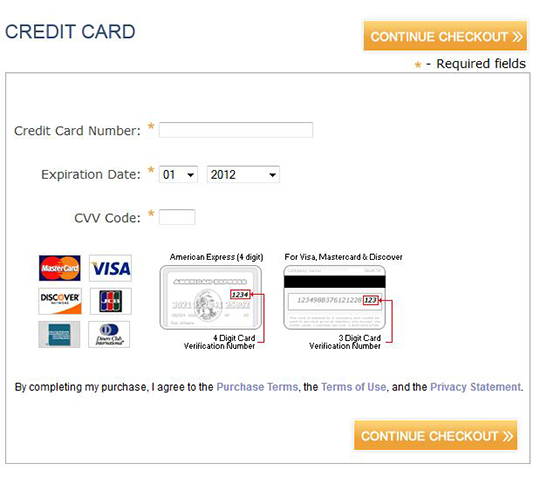
Here you need to enter your Credit Card (PayPal) details.
Please click "Continue Checkout" button when done.